
Your commerce systems should work together, reliably
Orders, inventory, pricing, product information and fulfillment shouldn't depend on manual workarounds. Our integration services keep Shopify and your ERP, PIM, warehouse and supplier systems in step: for Inkry, connecting supplier feeds and order workflows cut manual processing by 90%.
- Shopify Select Partner
- 4.9 from 28 Shopify Partner Directory reviews
- 80+ in-house engineers

The business problem
Connected systems aren't always coordinated systems
When each application keeps its own rules and records, small mismatches become operating problems: wrong stock, stalled order handoffs, mismatched prices, duplicate customer records and support teams working around software.
What stock is actually available?
Warehouse quantities, reserved units and storefront availability drift apart when nobody has defined who owns stock and when it updates.
Where did the order stop?
An order can be accepted by the store and then fail on its way into the ERP, allocation or fulfillment, and someone finds out days later.
Which product record is correct?
Supplier feeds and the PIM disagree on attributes, variants and prices when there are no validated rules for changing them.
Where we engineer
From moving data to business workflows you can depend on
Integration work is shaped by business rules, system limits and the cost of a failure, not by how many connectors a project has.
ERP and commerce integration
Products, customers, orders, prices and financial status kept in step, with a written owner for every field and business rule.
Supplier feeds and PIM
Incoming product data normalized and mapped, catalog updates scheduled, and exceptions caught between suppliers and the store.
Inventory, WMS and fulfillment
Availability, reservations, allocations, shipment status and returns moving between the store, the warehouse and your 3PL.
Complex workflow orchestration
Approvals, routing and fulfillment rules that span several vendors, accounts or channels, not just records moving one way.
Monitoring and exception recovery
Monitoring, retries, reconciliation and a clear point where a person steps in, planned for incomplete data and API changes.
AI on top of your integrations
An agent that spots failed or unusual syncs, says where an order is across systems, and starts the right action when a record changes.
We've connected Shopify to NetSuite, Odoo, Zoho, QuickBooks and Xero; other ERP, CRM and accounting systems connect through their APIs, with or without Shopify in the middle.
Our approach
Connector, Flow or custom: we pick the simplest that holds
We compare Shopify's own features, proven connectors, middleware and custom engineering before we recommend how to build an integration or a third-party API connection.
Many integrations need no custom code: a proven connector or Shopify Flow does the job. When the data is complex, volumes are high or a connector can't follow your rules, we build a custom integration with queues, retries and logs, so a failed sync raises an alert instead of a customer complaint.
Engineering the right integration
A connection becomes a system you can rely on through its architecture
Before we build, we agree what each system owns, when information changes, where errors can happen and how people find out that something needs attention. The work runs through WDT (Webgarh Delivery Tracker), our in-house engineering and delivery system: AI can help implement and test an integration, but our engineers decide which system owns a record and when a failed transaction is safe to replay.
Identify systems of record
One owner for products, stock, prices, orders and customer data.
Choose the integration pattern
APIs, managed tools, middleware, event-driven flows or a custom service.
Define failure behavior
Validation, safe retries, alerts and reconciliation, decided up front.
Verify real business journeys
Real orders, exceptions and handover tested before and after launch.
Every sync is logged and retried; if it still fails, an alert goes to the team you name. You own the code, credentials and documentation.
Queued syncs
Syncs that hold up when orders spike or a system goes down
We don't connect two systems by having one call the other and hope it answers. Each change goes onto a queue on AWS SQS, and a worker processes it at a pace the receiving system can take. We run this pattern in our own products, GTM Assistant and Dofeeds, and in the platforms we built for KULA, Quliance and Crossborderly.
Our product: Dofeeds
Supplier data is a problem we built a product for
Dofeeds is the feed and migration engine we built and run. It reads CSV, XML and API feeds, maps them to Shopify products, variants and metafields, and keeps them in sync, with price markups and stock thresholds set as rules.
Where the requirement fits, Dofeeds becomes part of the integration. Where it doesn't, we recommend a different architecture.
About Dofeeds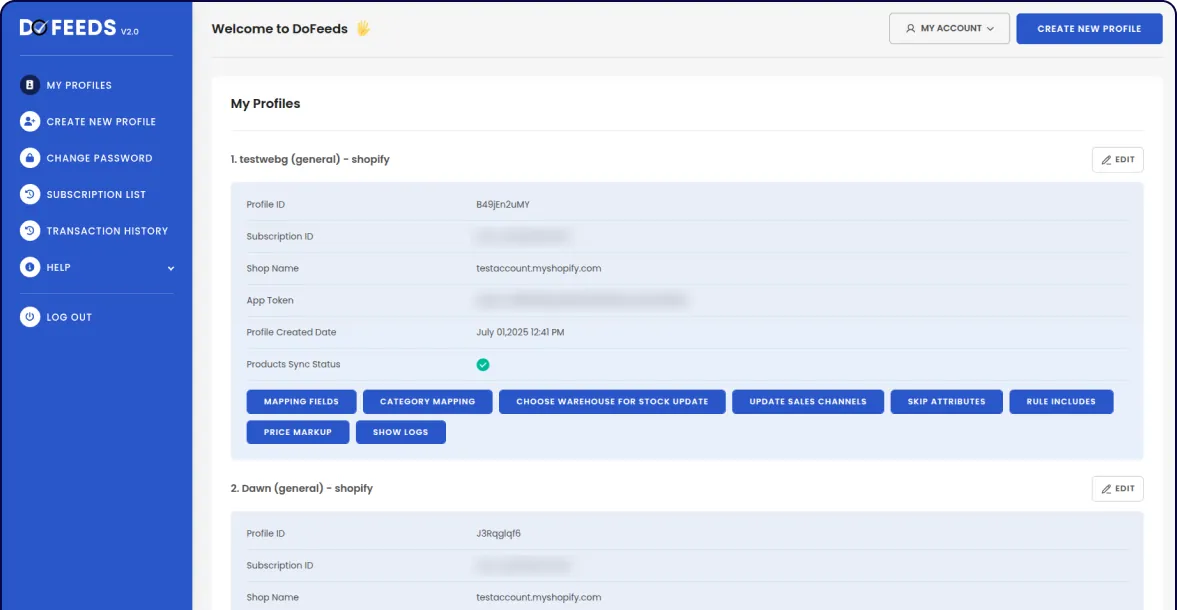
Integrations in production

90%
less manual processing
Inkry
Supplier feeds and order workflows connected to Shopify with Dofeeds
Read the case study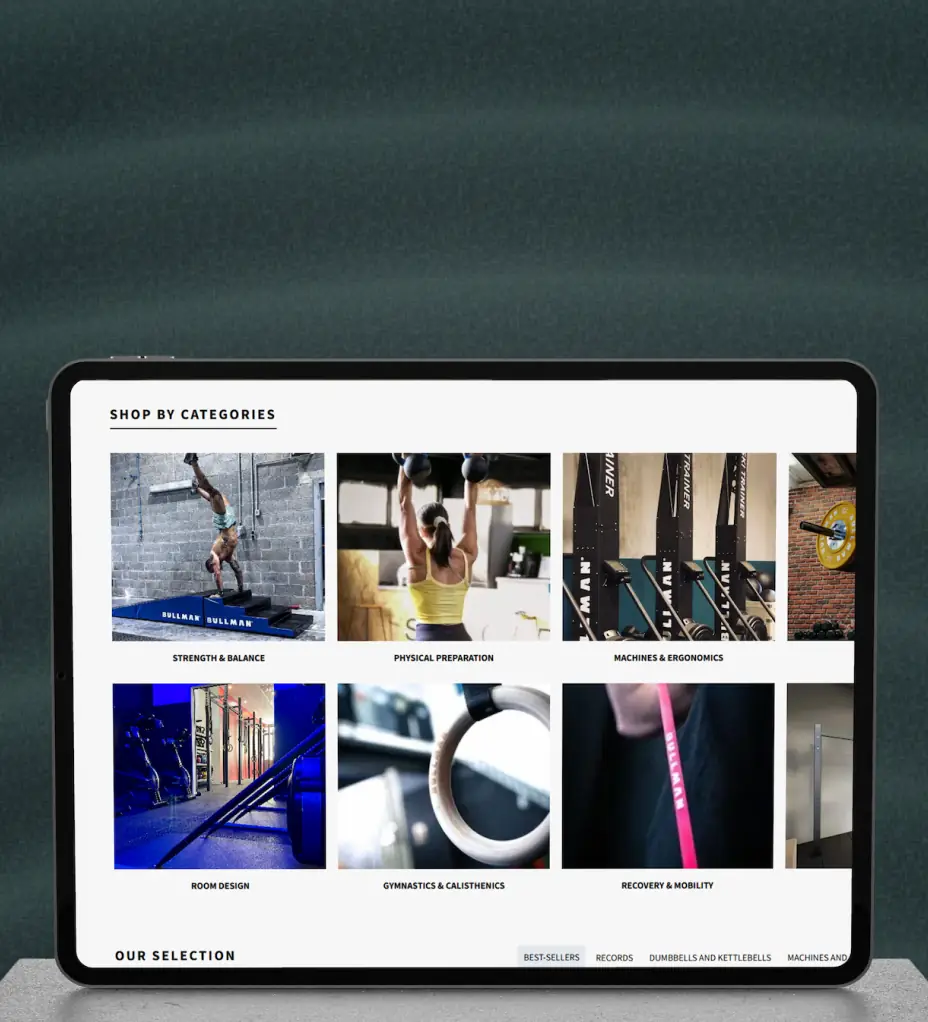
3x
business scale after launch
Bullman Equipment
A headless storefront with Odoo ERP as the operations back end
Read the case study
150+
countries merchants can sell to
Crossborderly
A Shopify-integrated cross-border logistics platform
Read the case study
From a client whose supplier data we connected

Specialisms
Integration specialisms
Integrations with their own pages, for the questions buyers ask most.
Payment gateway integration
Stripe, Adyen, Klarna and local gateways, including Razorpay and UPI for India.
See how we do itShipping and 3PL integration
Carriers, warehouses and fulfillment partners, with tracking back to the order.
See how we do itAI automation in Shopify workflows
AI steps inside order and catalog workflows: enrichment, tagging, routing and summaries.
See the agents we build
Frequently asked questions
Do we need a fully custom integration?
Not necessarily. We first check Shopify's own features, existing connectors and middleware against your requirements. Custom engineering comes in when the workflow, reliability, data rules or constraints justify it.
Can you integrate a system with no ready-made connector?
Yes, if it has an API, a database or a file export we can work with. Where there's no API, we agree another route, such as file exports or a small connector service, in the scope.
Can you work with our ERP, warehouse and existing middleware?
We review your systems, APIs, data ownership, access and integration boundaries during discovery, and confirm support for a particular vendor while scoping rather than assuming it.
What happens when a sync fails or an API changes?
A failed sync is retried automatically, logged and, if it still fails, flagged to us and to you. API changes and incomplete records are planned for in the design, with validation and reconciliation where the system needs them.
Does every project use Dofeeds?
No. Dofeeds fits particular supplier-feed and catalog-data requirements. We choose what fits the business.
Do you integrate systems other than Shopify?
Yes. We connect the systems your business runs on, CRM, ERP, finance, logistics and in-house tools, to each other as well as to Shopify, and we work inside your systems and accounts without copying your data into ours.
Who owns the integration?
You do: the code, credentials and documentation.
Can you fix an integration someone else built?
Yes. We start by reviewing how it works and where it's failing.
Let's discuss your systems
Tell us where your commerce operation is losing consistency
Share the systems involved, the data that needs to move and what a failure costs you. We'll start with the architecture, not a generic connector recommendation.